 Macbrow
Drop it on the notch. Grab it later.
Macbrow turns the notch into a shelf for files, a cleaner for your screenshots, a meeting alert, a music player and a calendar. Try the Shelf right here.
No card, no account. macOS 15 or later.
Nothing on the Shelf yet.
↑Drag a file up to the notch. Or click it.
Hover the notch. It knows what you need next.
Real screens from Macbrow. The notch stays closed until you hover, drag, or a meeting is about to start.
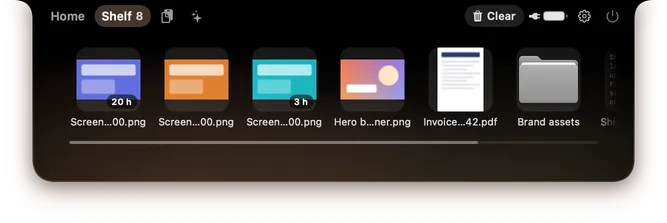
The Shelf: park anything on the notch
- Shelf Free
- Files, folders, links, text and images. They survive restarts; drag them out, share or AirDrop them.
- Screenshots that expire Pro
- New screenshots wait on the Shelf with a countdown and go to the Trash if you never use them. Keep them 24 h, 3 days or 7 days.
Music, calendar and meetings
What hovering shows, and what the closed notch tells you.
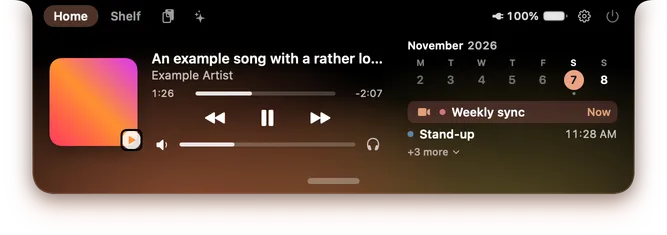
Now Playing and today Music free Calendar Pro
Artwork, controls, volume and an output picker for speakers, AirPods, displays and AirPlay. Today’s calendar with a week strip.

A heads-up before every meeting Pro
The closed notch expands with the time left, 1 to 15 minutes ahead. Click to join Google Meet, Zoom, Teams or Webex.
Pro tools
A third tab of your choice, an on-device assistant and a drawer of integrations.
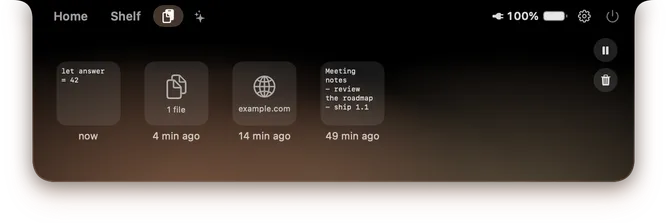
Your last 50 copies Pro
Clipboard history, each copy with how long ago. Password managers are ignored.
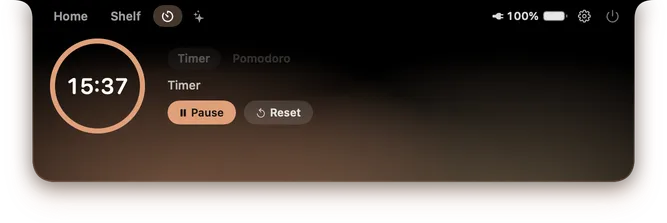
Focus timer or Pomodoro Pro
Counting down in the notch. Or make the third tab a Mirror to check your camera before a call.
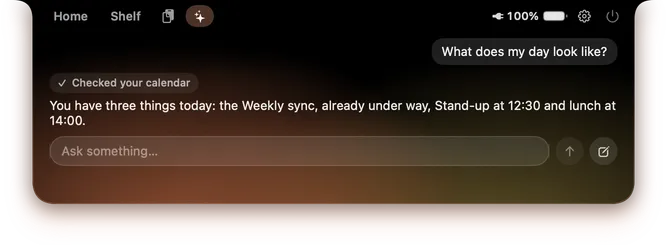
Ask about your day Pro
On-device with Apple Intelligence, macOS 26 or later. Nothing happens until you confirm it on a card.
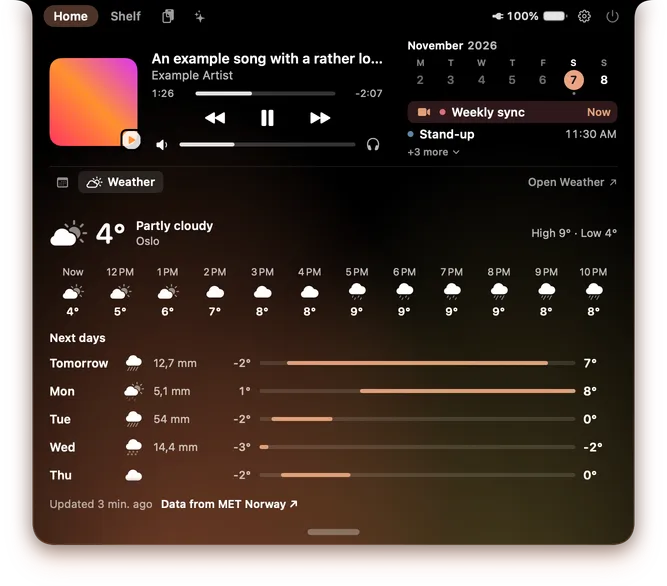
Pull down the drawer Pro
Reminders, Shortcuts, Weather, Checkmate, Dilo and LimitBar. Weather data comes from MET Norway.

Also in Pro: a pixel pet that walks the closed notch and reacts to your day. Pro
Keep the Shelf for free. Unlock the rest once.
Pick a moment to see what you get.
Every download starts with all of it. No card, no account.From day 15, these stay free for good, and nothing you parked is deleted.Everything, for one payment of €7.99. Up to 3 Macs, no subscription.
- ShelfFiles, folders, links, text and images that survive restarts.Free
- MusicNow Playing, volume and output picker.Free
- Clock, battery and basic appearanceFree
- Screenshots that expirePro
- Calendar and meeting remindersPro
- Clipboard history, Focus and MirrorPro
- AssistantOn-device, macOS 26 or later.Pro
- The drawer, six integrationsPro
- Pixel petPro
Small, quiet, and yours.
- No menu-bar iconSettings and quit live in the notch. Launch at login if you want it.
- Stays on your MacThe one exception is Weather, which asks MET Norway for a forecast.
- Light on batteryAnimations run on the system’s render server.
- Six languagesEnglish, Spanish, French, German, Portuguese and Italian.
- Your lookLight, Glass and Black styles, and a warm light coloured by the album art or the time of day.
- AccessibleRespects Reduce Motion, Reduce Transparency and Increase Contrast.
Questions
Is Macbrow free?
Yes. You get 14 days of everything, with no card and no account. After that the Shelf, music, battery, clock and basic appearance stay free, and nothing is deleted. Pro is €7.99, paid once.
Does my Mac need a notch?
Macbrow is made for MacBooks with a notch. On other displays it shows as a small pill in the menu bar.
Which macOS do I need?
macOS 15 or later, on Apple Silicon or Intel. The Assistant needs macOS 26 or later with Apple Intelligence.
How many Macs can use one license?
Up to 3. Changing Macs? Deactivate the license in Settings › License and activate it on the new one.
Where is the menu-bar icon?
There isn’t one. Hover over the notch to open Macbrow; settings and quit are inside it. Reopen the app to get to Settings.
Which calendars does it read?
The accounts in macOS Calendar, so Google, iCloud and Exchange work if you added them there. Calendar access is requested only when you click Connect Calendar.
Does anything leave my Mac?
No. The one exception is Weather, if you use it: it asks MET Norway for a forecast. Update checks send no information about your Mac.
Park it in the notch. Find it there tomorrow.
Free for 14 days, then free for good or €7.99 once.